



Main Window
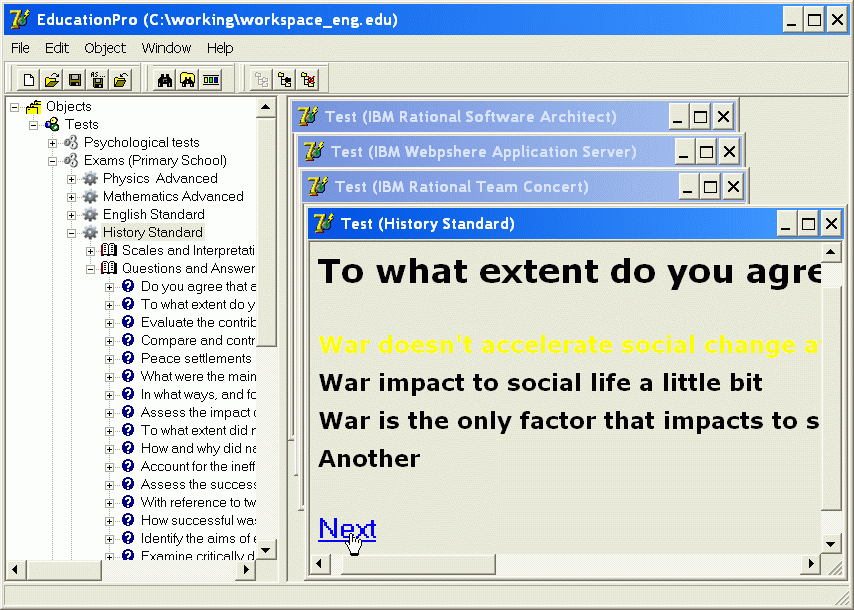
The main window contains a set of tools displaying ordered sociometric objects in the left panel. The right side lets you open a detailed view of various sociometric aspects of the completed testing. This means that all you need to do is select an object on the left and then open any of the available views for that object on the right. When working with views, you can open several of them at once to display multiple objects, which can be especially convenient when comparing them with one another.
Test Structure - Questions, Answers and Weights
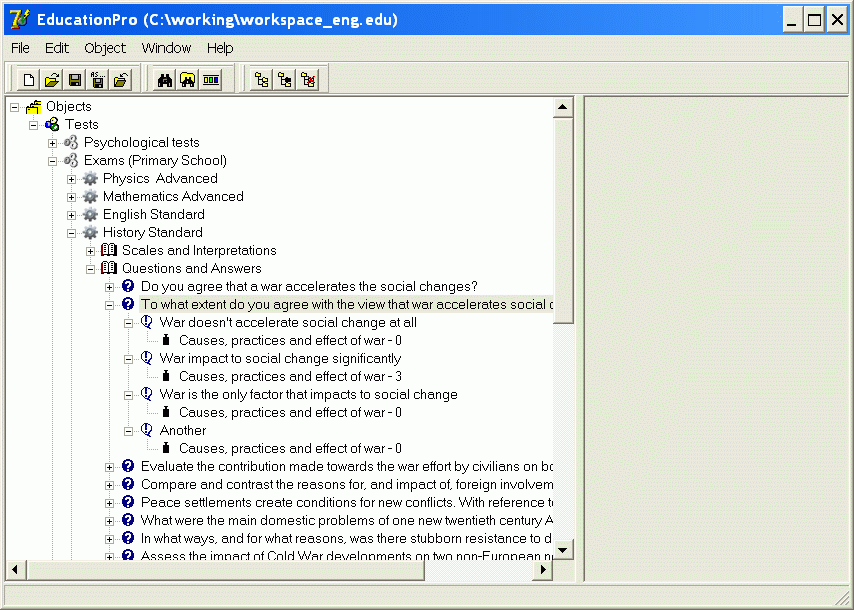
A test contains questions, and each question includes possible answer options that respondents can select during testing. Weights associated with specific test scales can be defined for any answer. If a respondent selects a particular answer during testing, all weights assigned to the selected answers (a weight can be defined for each scale in the test) are taken into account when calculating the results for the scales.
Test Structure - Scales and Interpretations
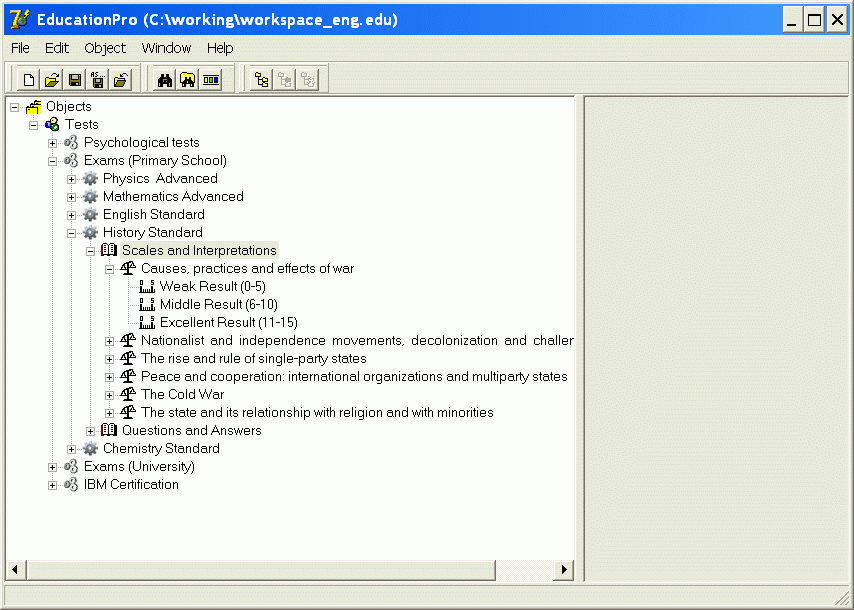
A test also includes scales, or specific areas for which results are calculated. Interpretations are defined for the scales, with minimum and maximum values specified for each interpretation (in other words, interpretations are ranges within the scales), together with the corresponding descriptive text. When generating the Results Report, Sindy determines which range of each scale contains the respondent's result. When the corresponding interpretation is found, its text is included in the report, helping the consultant (or teacher) process the final results more quickly.
Test Player

A test can be run in full-screen mode, preventing other on-screen elements from distracting the respondent during testing. The respondent can answer the test questions by selecting answers with the mouse or keyboard.
Protocol and Report
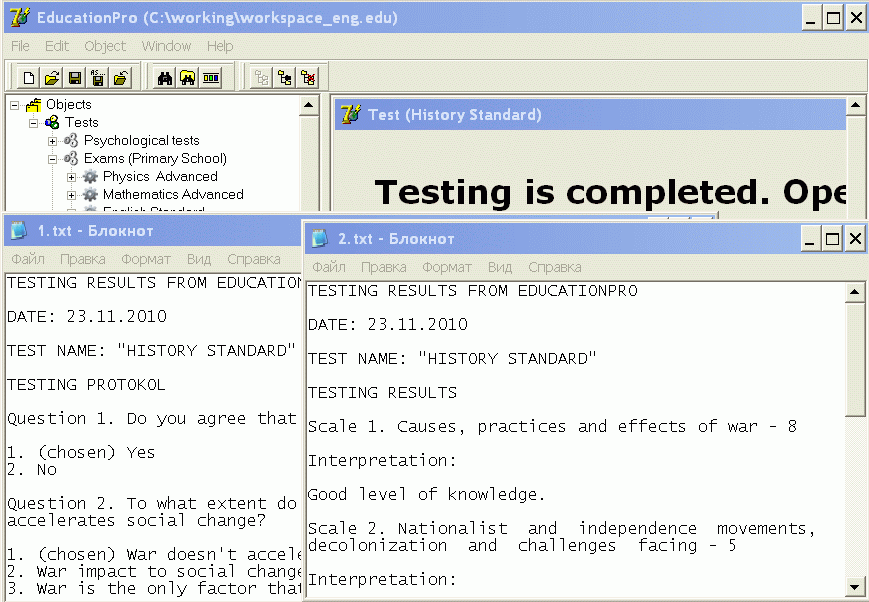
After testing is complete, the consultant can generate result reports: the Testing Protocol (a list of the test questions and answers showing the selected answers) and the Results Report (a list of scales, results for each scale, and automatically generated interpretations).
Test Settings
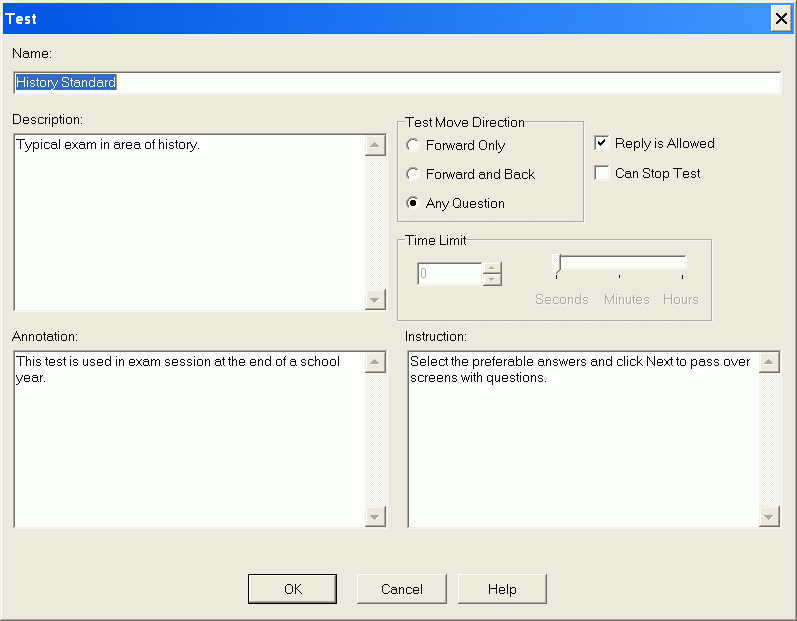
A name and description can be specified for the test itself as well as for any test element (question, answer, weight, scale, or interpretation). The test can also include an annotation and instructions. The instructions are shown to the respondent immediately after the test starts and explain how the test should be completed. You can also define how the respondent moves through the questions (forward only, forward and backward in sequence, or freely between questions), whether questions may be revisited, and whether the test can be interrupted.
Question Settings
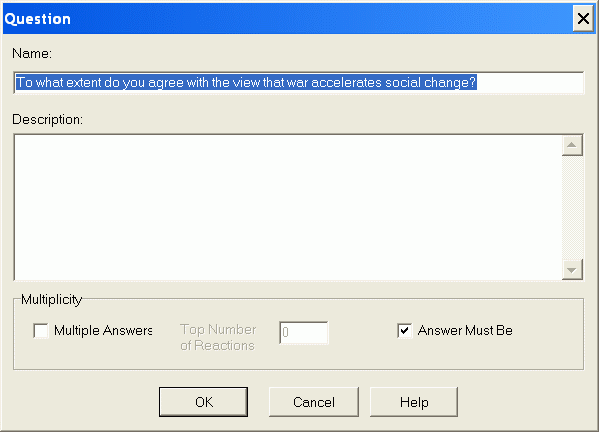
For test questions, you can choose the answer-selection mode (one answer only or multiple answers) and specify a limit on the number of answers that may be selected. You can also define whether at least one answer must be selected for a particular question.